HubSpot vs Salesforce (2026): Which CRM Actually Wins?

Vibha Rao
Head of MarTech at BFJ Digital
Keep ahead of the curve via our latest trends newsletter.
Contact us nowChoosing between HubSpot and Salesforce is one of the toughest calls you'll make as a growing business. Both are leaders. Both have loyal users. And both will happily charge you a lot of money for the wrong fit.
So let's cut through the noise. This guide breaks down HubSpot vs Salesforce across pricing, features, ease of use, integrations, and real-world fit. We've tested both, implemented both for clients, and we'll give you a clear answer at the end. No fence-sitting.
If you want the short version: HubSpot wins for most small to mid-sized businesses that value speed and ease of use. Salesforce wins for enterprise teams with complex sales processes and the budget to back it up.
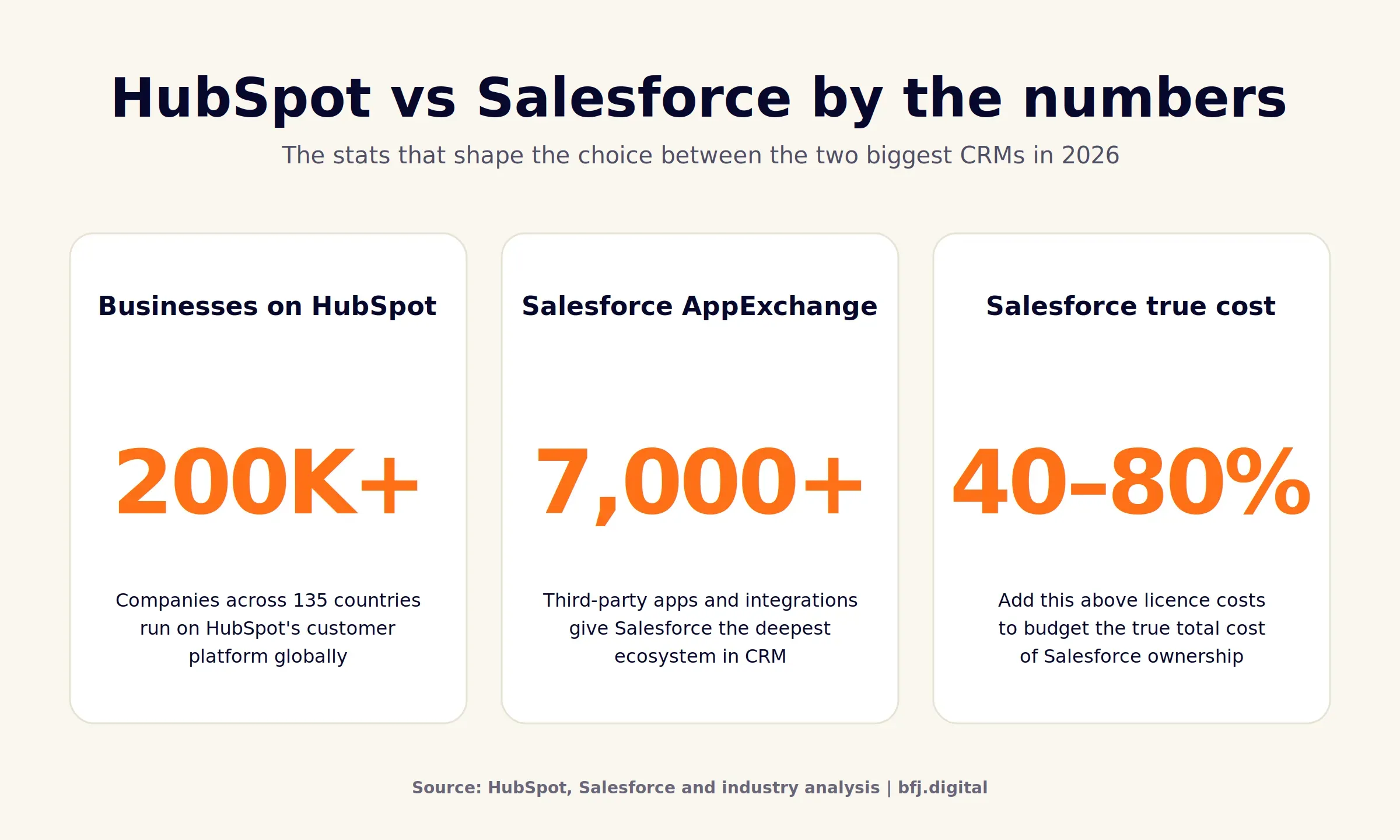
Both platforms have earned their reputations. Salesforce holds the largest CRM market share globally according to IDC research, while HubSpot now serves more than 200,000 businesses across 135 countries. So the question isn't whether either platform works. It's which one fits your business right now.
Quick Comparison: HubSpot vs Salesforce CRM
Here's a side-by-side look before we go deeper.
Feature | HubSpot | Salesforce |
|---|---|---|
Starting price | Free (paid from $20/seat/mo) | Free for 2 users ($25/user/mo paid) |
Ease of use | Excellent. Built for non-technical users | Steep learning curve. Often needs admins |
Customisation | Good for most needs | Industry-leading. Almost limitless |
Best for | SMBs, marketing-led teams, fast growth | Enterprise, complex sales, regulated industries |
Free plan | Yes, generous, unlimited users | Yes, capped at 2 users |
Integrations | 1,500+ native apps | 7,000+ via AppExchange |
Scalability | Strong up to mid-market | Enterprise-grade, scales globally |
Onboarding fees | $1,500–$12,000 (Pro/Enterprise) | $5,000–$500,000+ depending on size |
The takeaway: HubSpot is faster to deploy and gentler on the budget. Salesforce gives you more control, more depth, and more cost.
What is HubSpot?
HubSpot is an all-in-one customer platform built around marketing, sales, service, content, and operations. It launched in 2006 as an inbound marketing tool and has since grown into a serious CRM contender used by more than 200,000 businesses worldwide.
The platform organises everything into "Hubs". You can buy them separately or bundle them. Most teams start with the free CRM, then add Marketing Hub or Sales Hub as they grow.
Key strengths
- Genuinely usable. Marketers and sales reps can run it without an admin
- Free tier that's actually useful. Unlimited users, basic CRM, email marketing, forms
- Marketing automation that just works. Workflows, lead scoring, and email tools are built in, not bolted on
- Clear reporting. Dashboards are intuitive, even for non-technical stakeholders
Ideal users
HubSpot suits small to mid-sized businesses, marketing-led teams, content-driven brands, and anyone tired of stitching together five different tools. We see it work especially well in healthcare, professional services, B2B SaaS, and education. As an Australian HubSpot Partner, we've onboarded teams from 5 users to 500 on the platform.
What is Salesforce?
Salesforce is the world's largest CRM platform, with an estimated 20% global market share. It's been around since 1999 and pretty much invented cloud-based CRM. The platform is enormous and covers sales, service, marketing, commerce, analytics, and now AI agents through Agentforce.
Where HubSpot bundles, Salesforce specialises. You buy "Clouds" (Sales Cloud, Service Cloud, Marketing Cloud) and configure them to your business. The flexibility is unmatched, and so is the complexity.
Key strengths
- Customisation depth. Almost anything is possible with the right configuration
- AppExchange. 7,000+ integrations covering every niche you can think of
- Enterprise-grade scalability. Trusted by Fortune 500 companies for a reason
- Industry Clouds. Pre-built solutions for financial services, healthcare, manufacturing, and more
- AI capabilities. Agentforce and Einstein bring serious automation to large teams
Ideal users
Salesforce shines for enterprise organisations, complex B2B sales teams, regulated industries, and businesses with dedicated CRM admins. Companies running multi-region operations or layered approval workflows tend to outgrow HubSpot and land here. We work with clients across Australia and New Zealand on Salesforce CRM development and consultancy, and the pattern is consistent: the bigger the team and the more complex the process, the more sense Salesforce makes.
HubSpot vs Salesforce: Let’s Compare
This is where most comparison articles get fluffy. We'll keep it concrete.
Ease of Use
HubSpot wins this one. The interface is clean, the navigation is logical, and you can train a new sales rep in an afternoon. Most of our clients are running productive workflows within their first week.
Salesforce is more powerful but harder to learn. The Lightning interface improved things, but you'll still need a dedicated admin or partner for serious work. Expect 2 to 4 weeks of onboarding before your team is comfortable.
Features and Functionality
Both platforms cover the CRM essentials: contacts, deals, tasks, pipelines, and reporting. The difference is depth.
HubSpot gives you marketing automation, content tools, live chat, ticketing, and a CMS in one place. It's broad and well integrated.
Salesforce goes deeper in each area but you pay for it. Want serious marketing automation? You'll need Marketing Cloud Growth or Account Engagement (formerly Pardot) on top of Sales Cloud. Want service tools? Add Service Cloud. The modular approach is powerful, but it adds up fast.
HubSpot vs Salesforce Pricing
This is where most buyers get a shock, so we've given pricing its own section below. Quick version: HubSpot's entry tier is cheaper, but enterprise pricing on either platform lands in similar territory once you add seats, contacts, and add-ons.
Customisation
Salesforce wins on raw customisation. Custom objects, complex automation, role hierarchies, territory management, and full API access at the Enterprise tier mean you can model almost any business process.
HubSpot has caught up significantly. Custom objects, advanced workflows, and custom-coded actions are now standard in Professional and Enterprise tiers. For 80% of businesses, HubSpot's customisation is more than enough. The other 20% will hit a ceiling and need Salesforce.
Integrations
Salesforce's AppExchange has more than 7,000 apps. If you can name a tool, there's almost certainly an integration. This is huge for enterprise teams running specialised software.
HubSpot's marketplace has over 1,500 native integrations and covers every mainstream tool: Slack, Gmail, Microsoft 365, Zoom, Shopify, WordPress, Stripe, Xero, and so on. For most Australian SMBs, the catalogue is more than adequate.
Marketing Tools
HubSpot was built around marketing, and it shows. Email campaigns, landing pages, forms, blog and SEO tools, social media scheduling, ad tracking, and full attribution reporting are all native. Marketing automation workflows are visual, easy to build, and don't need a developer.
Salesforce's marketing capabilities live in separate products. Marketing Cloud Growth starts at $1,500 per organisation per month, and Account Engagement runs from around $1,250/mo for 10,000 contacts. Powerful tools, but you're paying enterprise prices and the integration with Sales Cloud takes work.
Sales Tools
Salesforce was built around sales, and it shows. Forecasting, opportunity scoring, territory management, complex approval flows, and CPQ (configure, price, quote) are best in class. If your sales team has 50+ reps and a multi-stage pipeline, this depth pays off.
HubSpot Sales Hub is excellent for small to mid-sized teams. Sequences, deal pipelines, meeting links, document tracking, and AI-assisted outreach are all there. It just doesn't go as deep into enterprise sales operations.
Customer Support
Both platforms offer tiered support. HubSpot includes email and in-app chat support on paid plans, with phone support added at Professional. The HubSpot Academy is a genuine asset, free, comprehensive, and certification-backed.
Salesforce Standard Support is included, but Premier Support (often considered necessary for enterprise deployments) costs around 30% of your licence fees on top. Trailhead, Salesforce's learning platform, is excellent. The catch is that you need to invest serious time in it, or pay a partner who already has.
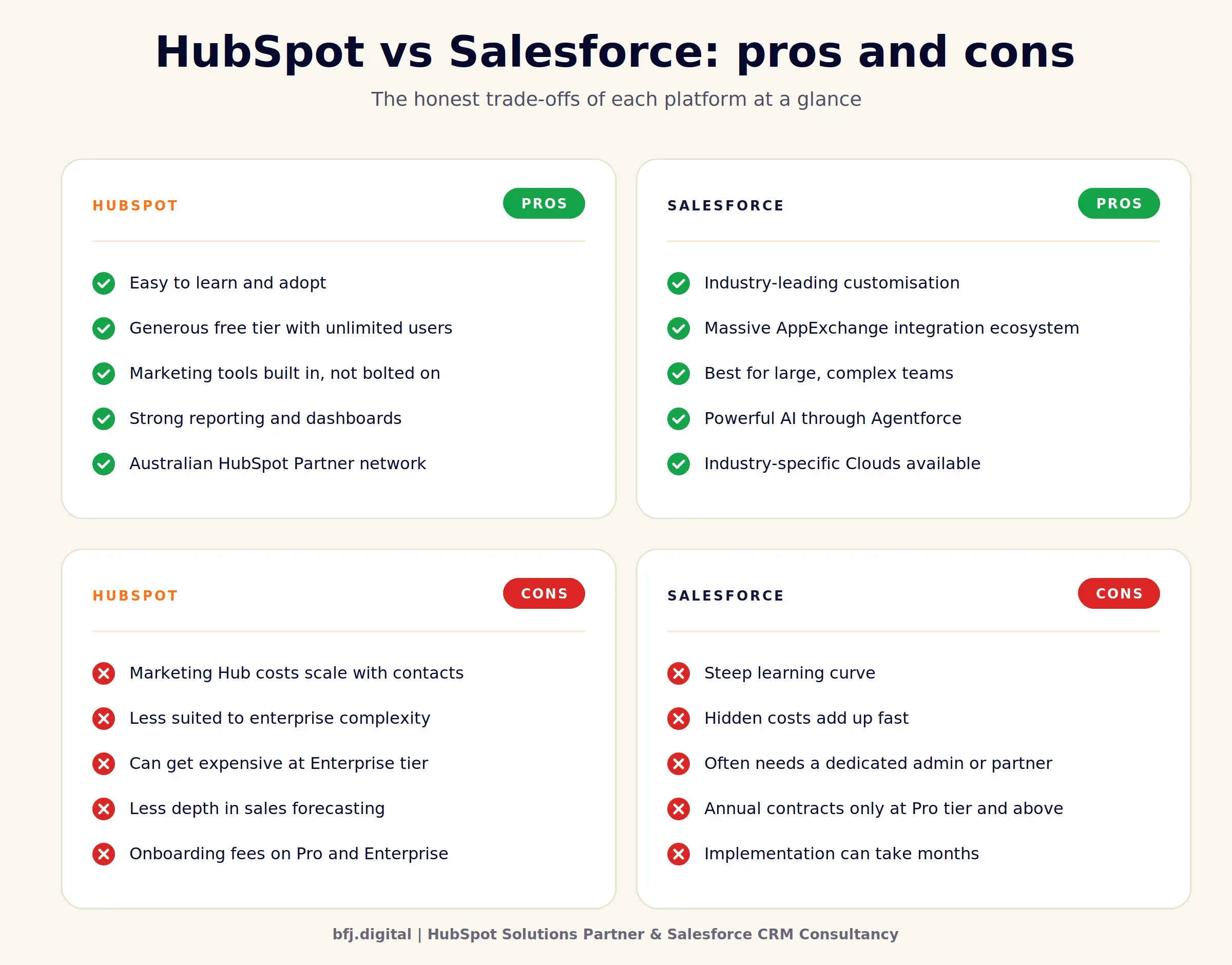
HubSpot vs Salesforce: Pros and Cons
HubSpot Pros | HubSpot Cons | Salesforce Pros | Salesforce Cons |
|---|---|---|---|
Easy to learn and adopt | Marketing Hub costs scale with contacts | Industry-leading customisation | Steep learning curve |
Generous free tier | Less suited to enterprise complexity | Massive integration ecosystem | Hidden costs add up fast |
Marketing tools built in | Can get expensive at Enterprise tier | Best for large, complex teams | Often needs a dedicated admin |
Strong reporting and dashboards | Less depth in sales forecasting | Powerful AI through Agentforce | Annual contracts only at Pro+ |
Australian Partner network | Onboarding fees on Pro and Enterprise | Industry-specific Clouds available | Implementation can take months |
Use Cases: Who Should Pick What?
This is where most "HubSpot or Salesforce, which is better" articles fall over. They give you features instead of fit. Here's how it actually plays out.
Best for Small Businesses
HubSpot wins. A 5 to 20 person business will find HubSpot's free or Starter plans more than enough. You'll get a real CRM, marketing automation, and email tools without needing a developer or admin. Most Aussie SMBs we work with land on Marketing Hub Starter or the Starter Customer Platform and stay there for years.
Best for Startups
HubSpot wins, with a discount. HubSpot for Startups offers up to 90% off in year one for eligible companies. That's a serious leg-up for early-stage teams. Salesforce has its own startup programme, but it's harder to qualify for and the platform demands more time and expertise to set up properly.
Best for Enterprises
Salesforce wins. Once you're past 100 users, running multi-region operations, managing territory hierarchies, or selling complex products with quote configuration, Salesforce's depth becomes essential. The customisation and AppExchange ecosystem genuinely scale where HubSpot eventually plateaus.
Best for Marketing Teams
HubSpot wins, easily. Email, automation, content, social, ads, attribution, and reporting all live in one place. Marketers can run campaigns without IT support. Salesforce's marketing tools are powerful, but they're expensive and live outside the core CRM.
Best for Sales Teams
It depends on team size and complexity. Sales teams under 30 reps with a clean pipeline thrive in HubSpot. Larger teams with forecasting, territory rules, and complex deal flows will get more from Salesforce. If your reps need to live in the CRM all day, Salesforce's depth tends to win.
Best for Regulated Industries
Salesforce wins. Financial services, aged care, healthcare, and government clients often need audit trails, granular permissions, and industry-specific compliance features that Salesforce ships out of the box. We've seen this play out across our healthcare and B2B client base repeatedly.
HubSpot vs Salesforce Pricing Breakdown
Both platforms publish list prices in USD. Real-world Australian costs will vary with the exchange rate, but the structure is the same globally.
HubSpot pricing tiers (2026)
- Free: $0, unlimited users, core CRM tools
- Starter Customer Platform: From $20/seat/month, all hubs at Starter level
- Marketing Hub Professional: From $890/month for 2,000 contacts, plus $1,500–$6,000 onboarding
- Sales Hub Professional: From $100/seat/month, plus $1,500 onboarding
- Enterprise tiers: From $3,600/month for Marketing, plus $12,000 onboarding for Pro Customer Platform
The big watch-out with HubSpot is marketing contacts. Marketing Hub bills based on the number of contacts you can market to. Cross 10,000 contacts and your monthly cost climbs significantly. Most growing teams budget 20–30% above the headline price to cover overages, onboarding, and add-ons.
Salesforce pricing tiers (2026)
- Free Suite: $0, capped at 2 users
- Starter Suite: $25/user/month
- Pro Suite: $100/user/month
- Enterprise: $175/user/month
- Unlimited: $350/user/month
- Agentforce 1 Sales: $550/user/month
Salesforce had a 6% list price increase across Enterprise and Unlimited editions in mid-2025. Annual contracts are mandatory from Pro Suite up.
The hidden costs are where Salesforce really catches buyers. Premier Support runs about 30% of licence fees. Implementation typically costs 20–40% of year-one licensing. Sandbox environments, AppExchange add-ons, data storage overages, and admin salaries all add up. Industry analysts and partners commonly recommend budgeting 40–80% above licence cost for true total cost of ownership.
Value comparison
For a 10-person sales team:
- HubSpot Sales Hub Professional: roughly $1,000–$1,200/month, plus onboarding
- Salesforce Sales Cloud Enterprise: roughly $1,750/month, plus implementation
HubSpot tends to win on year-one total cost. Salesforce can close the gap over 3 to 5 years if you genuinely use the deeper features and the platform scales with you. Always check the latest figures on the official HubSpot pricing and Salesforce pricing pages before signing anything, since both vendors update their plans regularly.
A quick word on hidden costs that catch buyers out. With HubSpot, it's marketing contact overages and the per-seat costs at Enterprise. With Salesforce, it's Premier Support, sandbox environments, AppExchange subscriptions, and the admin or partner you'll likely need to keep things running. Build these into your business case from day one, not month six.
Which One Should You Choose?
Here's the honest answer.
Choose HubSpot if:
- You're a small to mid-sized business (under 100 users)
- Marketing and sales need to share data without IT involvement
- You want to be running productive campaigns within weeks, not months
- Your team is non-technical or you don't have a CRM admin
- You value clear pricing and fast time to value
- You want a single platform covering marketing, sales, service, and content
Choose Salesforce if:
- You're an enterprise with 100+ users or complex sales operations
- You have a dedicated CRM admin or implementation partner
- You need deep customisation, role hierarchies, or industry-specific features
- You're in financial services, government, healthcare, or another regulated industry
- You need to integrate with niche or proprietary enterprise software
- You're prepared to invest 6 to 12 months in a proper rollout
If you're stuck somewhere in the middle, that's where talking to a CRM development specialist earns its keep. The wrong platform choice is one of the most expensive mistakes a growing business can make. We've migrated more than one client off the wrong CRM, and it's never quick or cheap.
Final Verdict: HubSpot vs Salesforce
HubSpot wins for most businesses. It's faster to deploy, easier to use, and cheaper to run for the majority of Australian SMBs and mid-market teams. The marketing automation and reporting alone justify the investment for marketing-led organisations.
Salesforce wins where complexity is non-negotiable. Enterprise organisations, regulated industries, and businesses with mature sales operations will get more long-term value from Salesforce, despite the higher cost and steeper learning curve.
Our rule of thumb after years of CRM implementations: if you have to ask whether you need Salesforce, you probably don't. Start with HubSpot. Migrate later if you outgrow it. You'll save money, time, and a lot of internal frustration.
Want a clear answer for your specific business? Book a free CRM strategy session and we'll review your tech stack, sales process, and growth plan. Then we'll tell you straight: HubSpot, Salesforce, or something else entirely. No sales pressure. Just clarity.
Vibha Rao
Vibha Rao is the Head of MarTech at BFJ Digital, bringing over 15 years of expertise in marketing technology and digital transformation strategy. Throughout her distinguished career, Vibha has led end-to-end marketing technology strategies for global organisations across diverse industries, managing multidisciplinary teams of designers, digital marketers, data analysts, developers, and CRM specialists to deliver scalable, tech-enabled marketing solutions.
Her leadership has been recognised internationally, including receiving the prestigious Global Trotter Award in San Francisco from Marketo for leading high-impact global teams and implementing innovative solutions.
As a sought-after thought leader, Vibha has been invited to speak at digital marketing conferences on digital transformation strategies in enterprise marketing. Her unique educational background combines an MBA with technical expertise in Computing Science and Information Systems, enabling her to bridge the gap between business strategy and technical implementation.
Vibha's approach to MarTech focuses on creating systems that not only solve immediate business challenges but also position organisations for future growth through strategic technology adoption and digital transformation initiatives.
Ready to See the Bigger Picture?
Want to understand how your digital and real-world marketing impact each other? Not sure if your CRM is supporting your paid media efforts? Just need some clarity and a clear plan to better ROI? Book your free strategy session today for an in-depth audit and action plan to double your digital marketing ROI.
- Meet with a strategy specialist to build a growth plan
- Increase your media performance by up to 200%
- Improve business efficiencies to increase ROI via automation and increase profit
- We cut to the chase. What digital marketing is actually working?